The point-of-sale system is the operational heartbeat of any retail or hospitality business. Every customer transaction, every inventory movement, every payment processed, and every sales report generated flows through the POS infrastructure. For businesses that manage their own technology rather than subscribing to cloud-only commercial solutions, the operating system running underneath the POS application becomes a meaningful business decision — and Linux has emerged as one of the most stable, cost-effective, and customisable foundations for POS deployments.
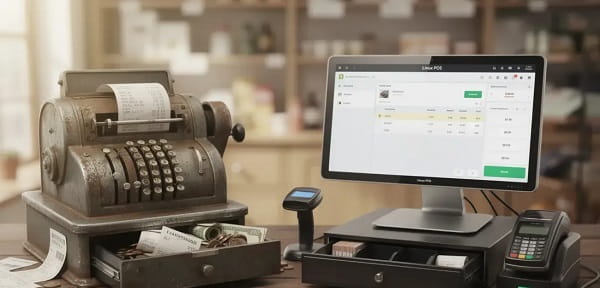
Understanding Linux as a POS Platform
Linux POS software refers to point-of-sale applications built to run on the Linux operating system — a free, open-source operating system that contrasts with proprietary systems like Windows in several important ways relevant to retail technology.
Linux-based POS systems eliminate the per-device licensing fees associated with Windows-based deployments — a cost that multiplies significantly across multi-terminal retail environments. Linux is renowned for stability and uptime — POS systems running on Linux can operate for months or years without reboots, reducing the retail disruption that Windows update cycles occasionally create. Linux is also more resistant to the malware and ransomware threats that specifically target Windows systems — a relevant consideration for POS terminals that process payment card data.
What Linux POS Software Provides
Linux POS software covers the functional requirements of retail, restaurant, and hospitality transaction management. Billing and invoice generation, barcode scanning integration, receipt printing, cash drawer management, and payment terminal integration form the transactional core.
Inventory management modules track stock levels in real time as sales occur, generate low-stock alerts, and in more comprehensive versions manage supplier purchase orders and goods receipt processing. Customer management features maintain loyalty programme databases, purchase histories, and contact records. Reporting modules generate daily sales summaries, shift closeout reports, product performance analytics, and tax compliance reports.
In restaurant and food service deployments, kitchen order management — sending order tickets to kitchen display systems or printers — table management, bill splitting, and modifier-based menu management are additional capability layers that Linux POS solutions address.
Popular Linux POS Solutions
Several established Linux POS platforms have developed strong user bases across different retail segments. UniCenta is a widely used open-source POS application that runs on Linux and provides comprehensive retail management functionality. Floreant POS is an open-source restaurant-focused solution built on Java that runs effectively on Linux. Openbravo POS and uniCenta oPOS are other well-established options. In India specifically, several custom POS solutions built on Linux serve supermarket chains, pharmacy chains, and restaurant groups — often developed by technology partners who manage the underlying Linux infrastructure.
Who Benefits From Linux POS
Multi-terminal retailers who want to eliminate per-licence software costs across a large terminal estate benefit significantly from Linux’s zero licensing cost. Businesses in connectivity-constrained environments benefit from Linux’s offline reliability — the system processes transactions without internet dependency. Technology-conscious operators who want full control over their software stack — customising receipt formats, integrating with proprietary loyalty systems, or connecting to custom ERP solutions — find Linux’s open architecture more accommodating than locked proprietary systems.
Frequently Asked Questions (FAQs)
Q1. Is Linux POS software difficult to maintain for businesses without a dedicated IT team?
A: Modern Linux POS distributions are designed for operational stability that minimises maintenance requirements. That said, initial setup, hardware configuration, and system updates typically require technical expertise. Businesses without internal IT capability usually work with a technology partner who manages the Linux infrastructure while staff interact only with the user-facing POS application.
Q2. Can Linux POS integrate with payment terminals and card machines?
A: Yes. Linux POS solutions support integration with payment terminals through standard protocols — most modern card payment terminals communicate through IP or serial interfaces that Linux POS software handles through driver support or middleware integration. Confirm specific terminal compatibility with your POS software provider before hardware procurement.
Q3. Does Linux POS work offline when internet connectivity is interrupted?
A: This is one of Linux POS’s strongest operational advantages. Linux-based systems are designed for local processing — transactions, inventory updates, and receipt printing continue without internet connectivity. Data synchronisation to central servers or cloud systems occurs when connectivity restores.
Q4. Is Linux POS software suitable for restaurant table management?
A: Restaurant-specific Linux POS solutions like Floreant POS include table mapping, order modification, bill splitting, and kitchen ticket printing — covering the core restaurant floor management requirements. More complex hospitality environments with reservation system integration may require evaluation of whether the specific Linux POS solution handles those integrations.
Q5. How are updates and security patches managed in Linux POS environments?
A: Linux distributions receive regular security updates through their package management systems. In POS environments, updates are typically scheduled during non-trading hours and managed by the IT administrator or technology partner. The relative infrequency of critical security incidents on Linux compared to Windows makes the update management burden lower in practice.